
-
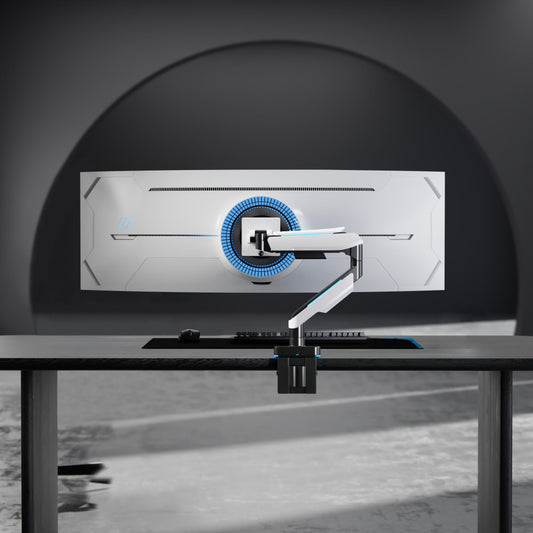
Ultrawide Monitor Arm 49 inch 20kg for 1000R Curved Monitors with RGB
- Supports Monitor up to 49" or weights up to 20kg: easily reposition large curved/flat monitors
- Detachable VESA Plate Design: enables easy installation
- Built-in Switch Button: for easy controlling lighting modes
- Optimized Tilting Structure: provides excellent weight-bearing capacity and smoother adjustment for large screens
- Cool Lighting Effect: blends seamlessly into any gaming station
- Sleek Build: cables stay hidden under the arm
- Regular price
- $169.00
- Regular price
-
$200.00 - Sale price
- $169.00
- Unit price
- per
-
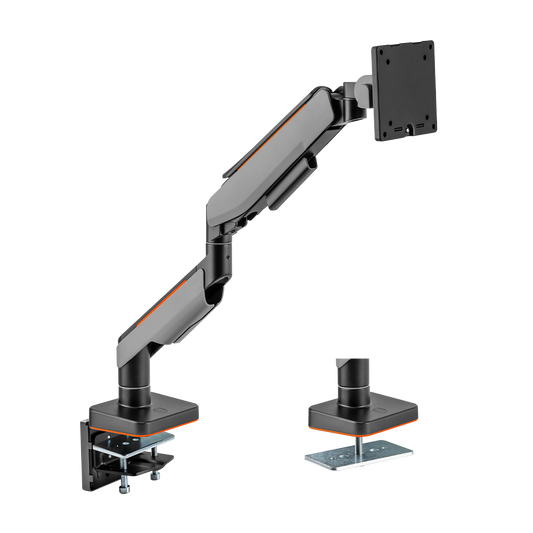
Ultrawide Monitor Arm 49 inch 20kg for 1000R Curved Monitors (Non-RGB)
- Supports Monitor up to 49" or weights up to 20kg: easily reposition large curved/flat monitors
- Detachable VESA Plate Design: enables easy installation
- Optimized Tilting Structure: provides excellent weight-bearing capacity and smoother adjustment for large screens
- Sleek Build: cables stay hidden under the arm
- Regular price
- $149.00
- Regular price
-
$180.00 - Sale price
- $149.00
- Unit price
- per
-
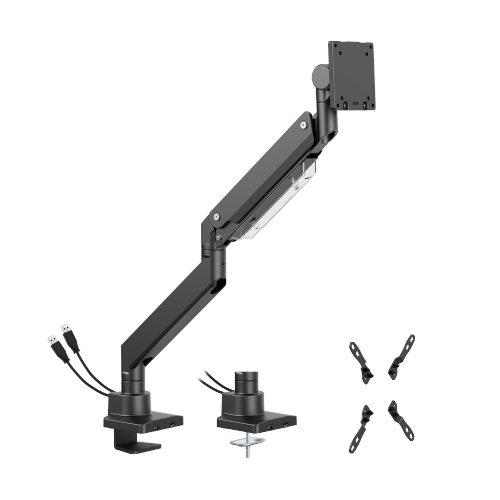
Super Heavy Duty Ultrawide Monitor Arm 57 inch 27kg with USB-A & USB-C
- Weight up to 27kg: easily reposition large curved/flat monitors
- Optimized Tilting Structure: provides excellent weight-bearing capacity and smoother adjustment for large screens
- Smart Base with USB-A & USB-C Ports: snap-off plates on the base provide data throughput or to charge devices
- Built-in Spring Tension Mechanism: for perfect weight adjustments
- Detachable VESA Plate Design: enables easy installation
- Include VESA Adapters: fit monitors with different VESA patterns
- Installs from Top Side: installs entirely from above the desk surface
- Built-in Cable Management: for an organized and neat workspace
- Regular price
- $220.00
- Regular price
-
- Sale price
- $220.00
- Unit price
- per
-
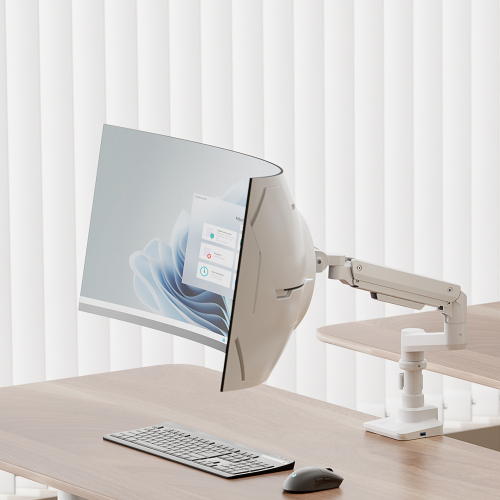
Pole Mounted Ultrawide Monitor Arm 49 inch 20kg for 1000R Curved Monitors
- Weight up to 20kg: easily reposition large curved/flat monitors
- Optimized Tilting Structure: provides excellent weight-bearing capacity and smoother adjustment for large screens
- Detachable VESA Plate Design: enables easy installation
- Installs from Top Side: installs entirely from above the desk surface
- Built-in Cable Management: for an organized and neat workspace
- Regular price
- $159.00
- Regular price
-
$200.00 - Sale price
- $159.00
- Unit price
- per
-
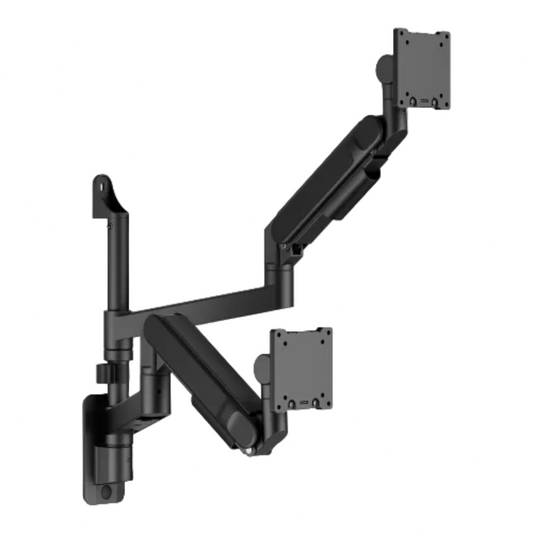
Heavy-Duty Wall-Mounted Dual Ultrawide Monitor Arm for 24–57 Inch Screens
- Built for Massive Displays - Engineered for today's largest ultrawide and curved monitors with support for screens from 24" to 57" and weights up to 27kg
- Free Up Valuable Desk Space - Wall-mounted installation removes bulky monitor stands and creates a cleaner, more productive workspace
- Effortless Ergonomic Adjustment - Premium gas spring technology allows smooth height, tilt, swivel and rotation adjustments for the perfect viewing position
- Regular price
- $200.00
- Regular price
-
$300.00 - Sale price
- $200.00
- Unit price
- per
Ultrawide Monitor Arms
Ultrawide Monitor Arms for 49 and 57 Inch Screens
Large ultrawide and curved monitors are heavier and sit further forward than standard screens, so they need a higher-capacity arm with a stronger tilt joint. Ergox ultrawide arms hold 17–49 inch screens up to 20kg, or up to 57 inch at 27kg flat (22kg curved).
Choose a desk clamp or grommet arm, a pole-mounted single or dual arm, or a wall-mounted single or dual arm for screens up to 57 inch. For more wall-mounted options, see our wall-mounted monitor arms, or read our monitor arm buyer's guide.
Compare Our Ultrawide Monitor Arms
| Arm | Price | Screens | Max weight | Mounting | Warranty |
|---|---|---|---|---|---|
| Ultrawide Arm 49" (Non-RGB) | $149 | 1 x 17–49" | 20kg | Clamp or grommet | 2 years |
| Heavy-Duty Wall Ultrawide Arm 57" | $150 | 1 x 24–57" | 27kg flat / 22kg curved | Wall | 2 years |
| Pole-Mounted Ultrawide Arm 49" | $159 | 1 x 17–49" | 20kg | 205mm pole, clamp or grommet | 2 years |
| Ultrawide Arm 49" with RGB | $169 | 1 x 17–49" | 20kg | Clamp or grommet, RGB lighting | 2 years |
| Heavy-Duty Dual Wall Ultrawide Arm 57" | $200 | 2 x 24–57" | 27kg flat / 22kg curved each | Wall | 2 years |
| Super Heavy-Duty Ultrawide Arm 57" | $220 | 1 x 17–57" | 27kg flat / 22kg curved | Clamp or grommet, USB-A + USB-C | 2 years |
| Pole-Mounted Dual Ultrawide Arm | $320 | 2 x 17–49" | 20kg each | 456mm pole, clamp or grommet, USB-A 3.0 + USB-C | 2 years |
Ultrawide Monitor Arm FAQ
Will it hold a Samsung Odyssey G9?
The 49 inch arms are built for screens of this size and weight; the pole-mounted single arm is a strong fit for the Odyssey G9. Some large Samsung ultrawides need the VESA adaptor supplied in the monitor box. If you've lost it, see our VESA adaptors and components.
Which arm suits a 57 inch screen?
On the desk, the Super Heavy-Duty arm holds up to 57 inch at 27kg flat or 22kg curved, with adaptors for 100 x 200, 200 x 100 and 200 x 200mm VESA patterns included. On the wall, the Heavy-Duty Wall Ultrawide Arm holds one 24–57 inch screen and the Heavy-Duty Dual Wall Ultrawide Arm holds two, each up to 27kg flat or 22kg curved.
What desk thickness do they fit?
The 49 inch desk arms clamp to 10–85mm desks, the pole-mounted single arm to 12–50mm, the pole-mounted dual arm to 12–45mm (clamp) or 12–50mm (grommet), and the 57 inch desk arm to 10–45mm. The desk and pole arms also offer a grommet option. The wall-mounted arms fix to the wall, so desk thickness does not matter.
What warranty do I get?
All Ergox ultrawide monitor arms come with a 2-year warranty.