
-
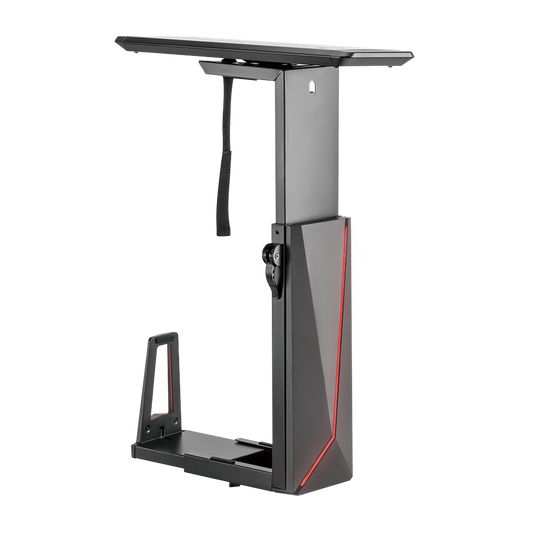
Sliding RGB Under-Desk Gaming CPU Mount, 15kg, Remote Control
- RGB Multi-Color Lights: offer cool ambient lighting
- Under-Desk Installation: saves more space and keeps your CPU dust-free
- Locking Rotary Knob: ensures a secure position at any width setting
- Easy-Locking Handle: ensures a toolless and secure height adjustment
- 360° Swivel: allows for easy access to backside ports and cables
- Stepless Height Adjustment: perfectly accommodates different CPUs
- Depth Adjustment:fits a variety of CPU sizes and shapes
- Regular price
- $100.00
- Regular price
-
- Sale price
- $100.00
- Unit price
- per
-
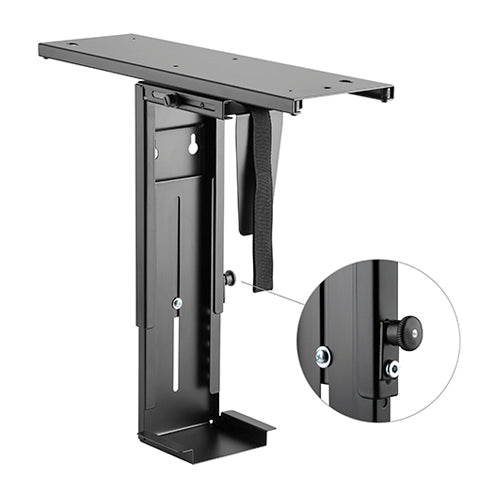
Sliding Under-Desk CPU Mount, 10kg, Fits 88–203mm Cases
- 360° Swivel: allows for easy access to backside ports and cables
- Easy-Glide Sliding Mechanism: for greater accessibility
- Width Adjustment: fits a variety of appliance/device sizes and shapes
- Under-Desk Installation: saves more space and keeps your CPU dust-free
- Fits CPU with width between 88 and 203mm only
- Regular price
- $60.00
- Regular price
-
- Sale price
- $60.00
- Unit price
- per
-
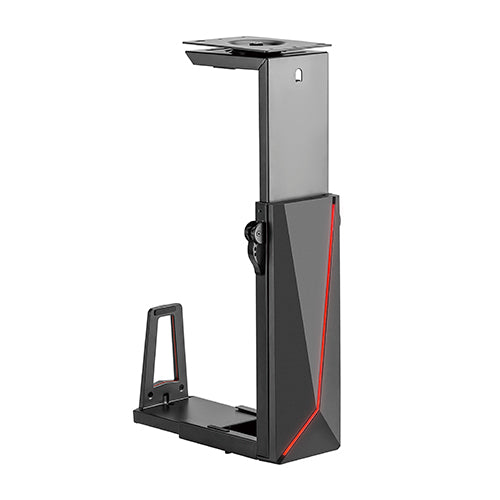
RGB Deluxe Under-Desk Gaming CPU Mount, 15kg, Fits 152–247mm Cases
- RGB Multi-Color Lights: offer cool ambient lighting
- Under-Desk Installation: saves more space and keeps your CPU dust-free
- Locking Rotary Knob: ensures a secure position at any width setting
- Easy-Locking Handle: ensures a toolless and secure height adjustment
- 360° Swivel: allows for easy access to backside ports and cables
- Stepless Height Adjustment: perfectly accommodates different CPUs
- Depth Adjustment:fits a variety of CPU sizes and shapes
- Regular price
- $90.00
- Regular price
-
- Sale price
- $90.00
- Unit price
- per
CPU Mounts
Under-Desk CPU Mounts
Taking the tower off the floor frees leg room, keeps dust out and lets the PC move with a height-adjustable desk. Ergox stocks three under-desk CPU mounts: a standard sliding mount for smaller cases and two RGB gaming mounts for wider cases, one of which slides out on a track.
Check your case width, height and weight against each mount before ordering. Route the cables with a cable management spine, browse more sit stand desk accessories, or see the gaming setup range.
Compare Our CPU Mounts
| Mount | Price | Case width | Case height | Load | Features | Warranty |
|---|---|---|---|---|---|---|
| Sliding CPU Mount EA-CPB5 | $60 | 88–203mm | 300–533mm | 10kg | 325mm sliding track, 360° swivel | 2 years |
| RGB Deluxe CPU Mount ECPUH21R | $90 | 152–247mm | 340–550mm | 15kg | RGB with remote, 360° swivel | 2 years |
| Sliding RGB CPU Mount ECPUH22R | $100 | 152–247mm | 340–550mm | 15kg | 247mm sliding track, RGB with remote, 360° swivel | 2 years |
CPU Mount FAQ
Will my PC case fit?
The EA-CPB5 fits cases 88–203mm wide and 300–533mm tall, up to 10kg. Both RGB mounts fit cases 152–247mm wide and 340–550mm tall, up to 15kg.
Which mounts slide out?
The EA-CPB5 (325mm track) and the Sliding RGB ECPUH22R (247mm track) slide out. The RGB Deluxe ECPUH21R does not slide, but all three swivel 360° for access to rear ports.
What warranty do I get?
All three CPU mounts come with a 2-year warranty.