
-
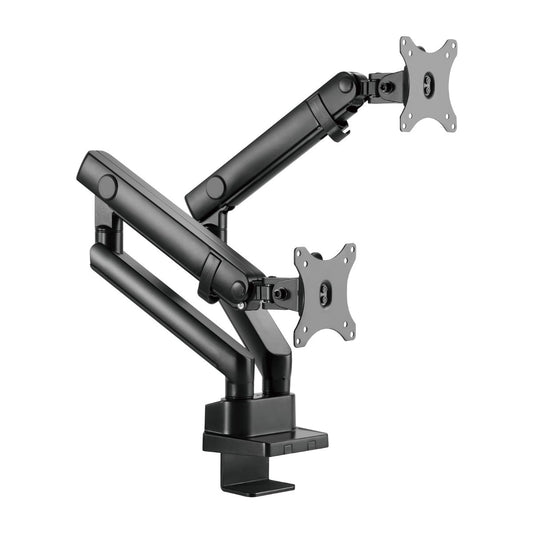
Premium Aluminium Dual Monitor Arm for 17–32 Inch Screens
- Installs from Top Side: installs entirely from above the desk surface
- Smooth Arm Insertion: ensures easy installation
- Built-in Spring Tension Gauge: for perfect weight adjustments
- Spring-Assisted Mechanism: allows the monitor to easily move up and down
- Quick-Release VESA Plate: for easy installation
- Two Mounting Options: both desk clamp and grommet are included
- 3 Year Manufacturer's warranty
- Regular price
- $135.00
- Regular price
-
- Sale price
- $135.00
- Unit price
- per
-
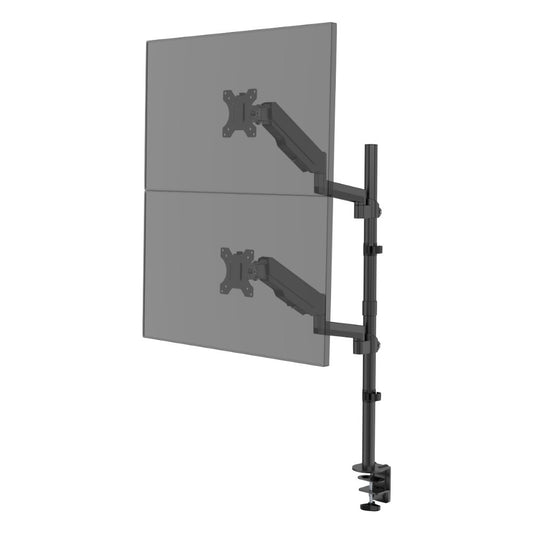
Dual Stacked Monitor Arm 17-32 inch for Two Curved Monitors
- Stack two monitors up to 32" in landscape orientation or 27" in portrait orientation
- Gas Spring: perfectly counterbalances the weight of your monitor
- Free-Tilting Design: for multiple monitor viewing angles
- Swiveling Arm(s): offer(s) maximum viewing flexibility (makes every seat the best seat)
- Cable Management: keeps everything organized
- 360° Rotary VESA Plate: for more viewing experience
- Detachable VESA Plate Design: enables easy installation
- 3 Year Manufacturer's warranty
- Regular price
- $135.00
- Regular price
-
- Sale price
- $135.00
- Unit price
- per
-
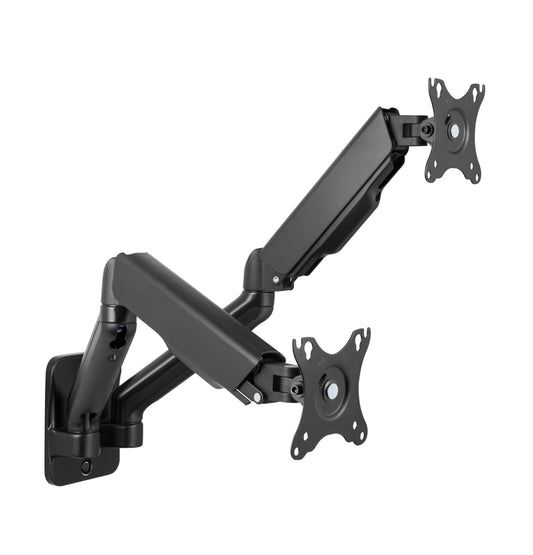
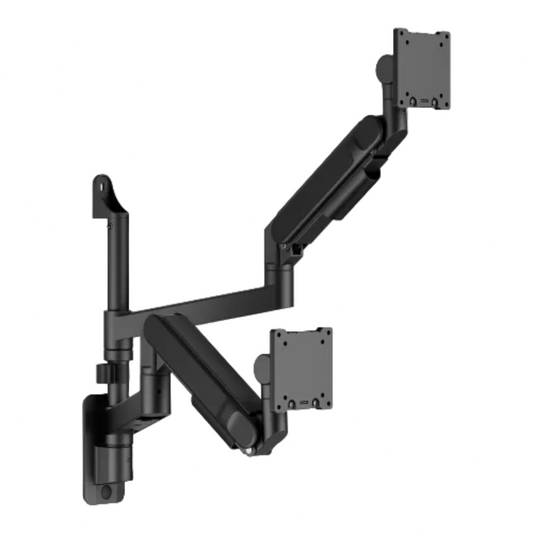
Wall-Mounted Gas Spring Dual Monitor Arm for 13–32 Inch Screens
- Keyhole Pattern: allows for easy installation
- Cable Management: keep everything organized
- Swivelling Arm(s): offer(s) maximum viewing flexibility (makes every seat the best seat)
- Built-in Spring Tension Gauge: for perfect weight adjustments
- Free-Tilting Design: makes easy forward or backward adjustment for better viewing and reduced glare
- 360° Rotary VESA Plate: for more viewing experience
- Regular price
- $110.00
- Regular price
-
- Sale price
- $110.00
- Unit price
- per
-
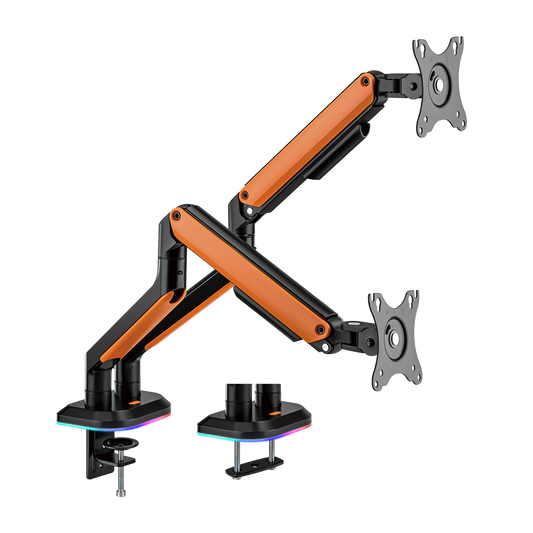
Dual RGB Gaming Monitor Arm for 17–32 Inch Screens
- RGB Multi-Color Lights: offer cool ambient lighting
- Spring-Assisted Mechanism: allows to easily move up and down
- Each arm can hold most 17”-32” monitors up to 9kg
- Keyhole Pattern: allows for easy installation
- Freely Adjusting Height: for an optimal ergonomic position
- 180° Rotation Stop: prevents monitor arm from swinging into screens or walls
- Built-in Cable Management: for an organized and neat workspace
- Regular price
- $135.00
- Regular price
-
- Sale price
- $135.00
- Unit price
- per
-
Heavy-Duty Wall-Mounted Dual Ultrawide Monitor Arm for 24–57 Inch Screens
- Built for Massive Displays - Engineered for today's largest ultrawide and curved monitors with support for screens from 24" to 57" and weights up to 27kg
- Free Up Valuable Desk Space - Wall-mounted installation removes bulky monitor stands and creates a cleaner, more productive workspace
- Effortless Ergonomic Adjustment - Premium gas spring technology allows smooth height, tilt, swivel and rotation adjustments for the perfect viewing position
- Regular price
- $200.00
- Regular price
-
$300.00 - Sale price
- $200.00
- Unit price
- per
Dual Monitor Arms
Dual Monitor Arms for Two Screens
A dual monitor arm holds two displays from one fixing and frees the desk underneath. Ergox dual arms cover side-by-side, stacked and wall-mounted layouts, from two 13–32 inch office screens up to two 57 inch ultrawides at 27kg each (22kg curved).
Every capacity below is per screen. Check each monitor's weight without its stand, its VESA pattern and your desk thickness before ordering. For three or more screens, see our triple and six screen monitor arms, or browse the full monitor arm range.
Compare Our Dual Monitor Arms
| Arm | Price | Screens | Max weight per screen | Mounting | Warranty |
|---|---|---|---|---|---|
| Wall-Mounted Gas Spring Dual Arm | $110 | 2 x 13–32" | 9kg | Wall | 2 years |
| Premium Aluminium Dual Arm | $135 | 2 x 17–32" | 8kg | Clamp or grommet (10–50mm) | 2 years |
| Dual Stacked Arm | $135 | 2 x 17–32" stacked (27" portrait) | 8kg | Extra-tall pole, clamp or grommet | 2 years |
| Dual RGB Gaming Arm | $135 | 2 x 17–32" | 9kg | Clamp or grommet | 2 years |
| Heavy-Duty Dual Wall Ultrawide Arm | $200 | 2 x 24–57" | 27kg flat / 22kg curved | Wall | 2 years |
| Pole-Mounted Dual Ultrawide Arm | $320 | 2 x 17–49" | 20kg | 456mm pole, clamp or grommet, USB-A 3.0 + USB-C | 2 years |
Dual Monitor Arm FAQ
Can I stack two monitors?
Yes. The Dual Stacked Arm holds one screen above the other on an extra-tall pole: two 17–32 inch screens in landscape, or up to 27 inch in portrait, each up to 8kg.
Can a dual arm hold two 49 inch ultrawides?
The Pole-Mounted Dual Ultrawide Arm holds two 17–49 inch screens up to 20kg each. For bigger screens, the Heavy-Duty Dual Wall Ultrawide Arm holds two 24–57 inch screens up to 27kg flat or 22kg curved each. Some ultrawides need the manufacturer's VESA adaptor, so check for it before mounting. For the full ultrawide line-up, see our ultrawide monitor arms.
Will it fit my desk?
Desk arms fit clamp thicknesses from 10–50mm on the Premium Aluminium arm up to 10–80mm on the Stacked and RGB arms. If the desk can't take a clamp, the wall-mounted dual arms fix to the wall instead.
What warranty do I get?
All Ergox dual monitor arms in this range come with a 2-year warranty.