
-
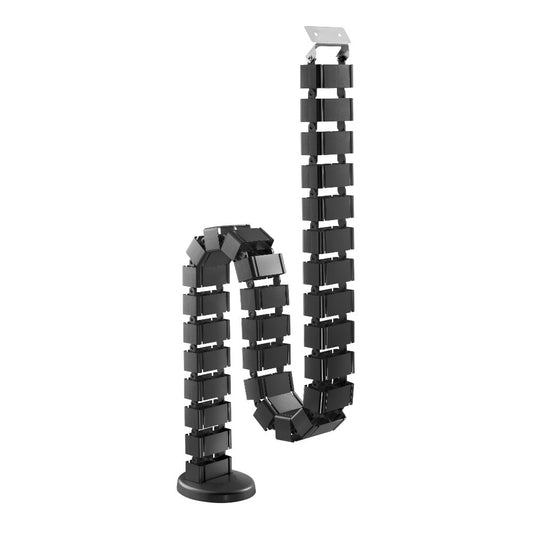
Screw-Fix Cable Management Spine for Standing Desks, 30 Vertebrae
- Cable Organizer & Hider: keep cables concealed and protect cables from the wear and tear
- Modular Vertebrae Structure: allows users to add or subtract individual vertebra as required
- Quad Entryway Design: enables cable separation
- Weighted Base with Iron Block: offers extra stability
- Consists of 30 removable vertebrae, which allow it to flex and curve
- Fixed by Screw
- Regular price
- $25.00
- Regular price
-
- Sale price
- $25.00
- Unit price
- per
-
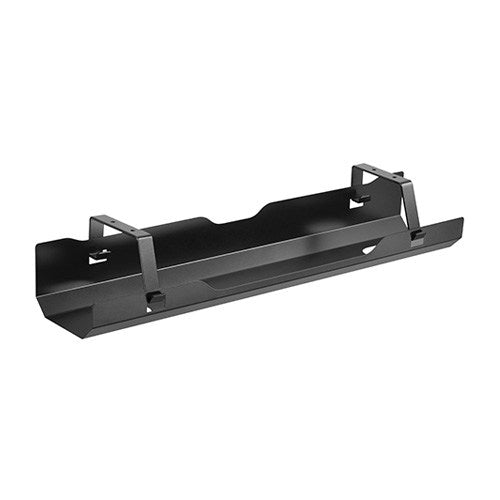
Under-Desk Cable Management Tray, 600mm Black Steel
- Cable Management: keep everything organized
- Open Architecture: provides increased ventilation and easier access to wires
- Large storage capability
- Easy Assembly: Installation is as easy as 1-2-3
- Regular price
- $35.00
- Regular price
-
- Sale price
- $35.00
- Unit price
- per
-
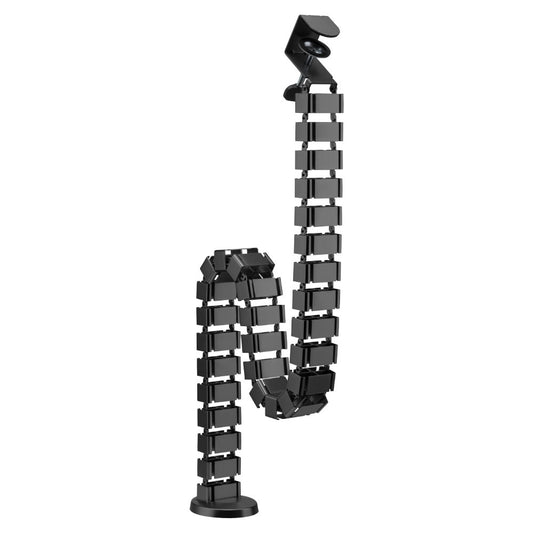
Clamp-On Cable Management Spine for Standing Desks, 30 Vertebrae
- Easy Installation: No tools required
- Cable Organizer & Hider: keep cables concealed and protect cables from the wear and tear
- Modular Vertebrae Structure: allows users to add or subtract individual vertebra as required
- Quad Entryway Design: enables cable separation
- Weighted Base with Iron Block: offers extra stability
- Clamp on Design
- Regular price
- $30.00
- Regular price
-
- Sale price
- $30.00
- Unit price
- per
Cable Management
Cable Management for Height-Adjustable Desks
When a sit stand desk changes height, loose cables can snag or pull. Ergox stocks two cable spines, one screw-fixed and one clamp-on, that route cables from floor to desk and extend and contract as the desk moves, plus an under-desk tray for power boards and surge protectors.
Both spines have 30 removable vertebrae with four channels each and a weighted base. Pair them with a CPU mount and keyboard tray, or browse all sit stand desk accessories.
Compare Our Cable Management
| Product | Price | Installation | Size | Colour | Warranty |
|---|---|---|---|---|---|
| Screw-Fix Cable Spine EA-CM101 | $25 | Screw fixed | 107 x 129 x 1285mm, 30 vertebrae | Black or Silver | 2 years |
| Clamp-On Cable Spine EA-CM101A | $30 | Clamp on, no tools | 107 x 129 x 1347mm, 30 vertebrae | Black or Silver | 2 years |
| Under-Desk Cable Tray CC11-4 | $35 | Screw fixed | 600 x 135 x 108mm | Black | 2 years |
Cable Management FAQ
Screw-fix or clamp-on spine?
The screw-fix spine screws to the desk for a firm hold. The clamp-on spine fits with a clamp and needs no tools, so it suits a desk you would rather not drill.
What goes in the cable tray?
The tray holds heavy extension leads, power boards and surge protectors under the desk, with openings at both ends for routing cables.
What warranty do I get?
All cable management products here come with a 2-year warranty.