
-
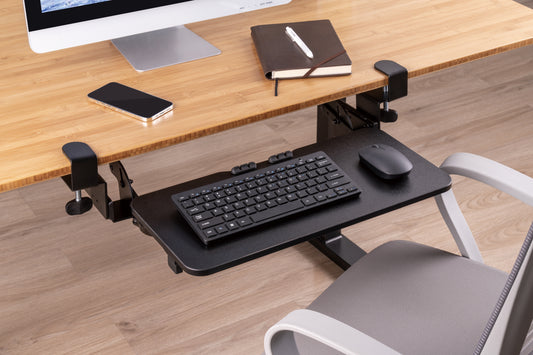
Clamp-On Under-Desk Keyboard Tray, Sliding, EA-KBT-09
- Height Adjustment: satisfies user’s different preference
- Easy-Locking Handle: ensures a toolless and secure height adjustment
- Table Mounting Clamp with Rubber Pad: avoids damaging your furniture
- Track Mounted Design: easily hides the keyboard tray under desk
- Cable Management: keeps everything organized
- Fits Table Top with thickness up to 35mm
- Regular price
- $90.00
- Regular price
-
- Sale price
- $90.00
- Unit price
- per
Keyboard Trays
Clamp-On Keyboard Trays
A keyboard tray sets your keyboard and mouse below the desktop for a more comfortable typing height and frees up desk space. The Ergox EA-KBT-09 clamp-on keyboard tray ($90) fits without drilling, has a 670 x 240mm platform that holds up to 5kg, adjusts steplessly over an 81mm height range and slides 242mm to store under the desk.
Finish your setup with cable management and a CPU mount, or browse all sit stand desk accessories.
Keyboard Tray FAQ
Will it fit my desk?
The clamps suit desktops up to 35mm thick. You need at least 828mm wide x 402mm deep of clear space under the desk, free of frames, crossbars or drawers that could block the clamps or tracks.
What warranty do I get?
The EA-KBT-09 keyboard tray comes with a 2-year warranty.