
-
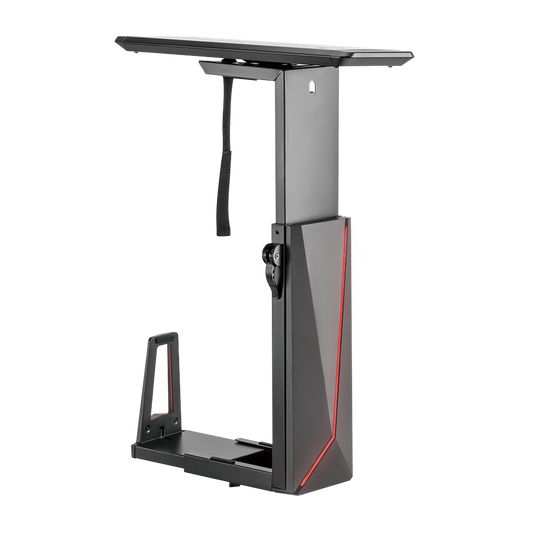
Sliding RGB Under-Desk Gaming CPU Mount, 15kg, Remote Control
- RGB Multi-Color Lights: offer cool ambient lighting
- Under-Desk Installation: saves more space and keeps your CPU dust-free
- Locking Rotary Knob: ensures a secure position at any width setting
- Easy-Locking Handle: ensures a toolless and secure height adjustment
- 360° Swivel: allows for easy access to backside ports and cables
- Stepless Height Adjustment: perfectly accommodates different CPUs
- Depth Adjustment:fits a variety of CPU sizes and shapes
- Regular price
- $100.00
- Regular price
-
- Sale price
- $100.00
- Unit price
- per
-
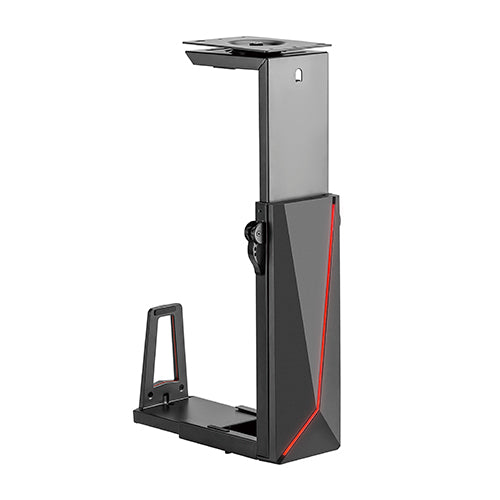
RGB Deluxe Under-Desk Gaming CPU Mount, 15kg, Fits 152–247mm Cases
- RGB Multi-Color Lights: offer cool ambient lighting
- Under-Desk Installation: saves more space and keeps your CPU dust-free
- Locking Rotary Knob: ensures a secure position at any width setting
- Easy-Locking Handle: ensures a toolless and secure height adjustment
- 360° Swivel: allows for easy access to backside ports and cables
- Stepless Height Adjustment: perfectly accommodates different CPUs
- Depth Adjustment:fits a variety of CPU sizes and shapes
- Regular price
- $90.00
- Regular price
-
- Sale price
- $90.00
- Unit price
- per
Gaming CPU Mounts
RGB Gaming CPU Mounts
These two RGB mounts lift a gaming PC off the floor and under the desk, freeing leg room and keeping dust out. Both have built-in RGB lighting set by remote control, a 360° swivel for rear port access, and hold cases up to 15kg.
Choose the Sliding RGB mount if you want to pull the case out on a track. For smaller cases, see the full under-desk CPU mount range, tidy cables with cable management, or browse the gaming setup range.
Compare Our Gaming CPU Mounts
| Mount | Price | Case width | Case height | Load | Sliding track | Warranty |
|---|---|---|---|---|---|---|
| RGB Deluxe CPU Mount ECPUH21R | $90 | 152–247mm | 340–550mm | 15kg | No | 2 years |
| Sliding RGB CPU Mount ECPUH22R | $100 | 152–247mm | 340–550mm | 15kg | Yes, 247mm travel | 2 years |
Gaming CPU Mount FAQ
How is the RGB lighting controlled?
Both mounts have built-in, customisable RGB lighting that you set with the included remote control.
Will my gaming case fit?
Both fit cases 152–247mm wide and 340–550mm tall, up to 15kg. For narrower cases from 88mm, see the standard sliding CPU mount.
What warranty do I get?
Both gaming CPU mounts come with a 2-year warranty.